How to Install a Free SSL Certificate on ZuumHost (cPanel)
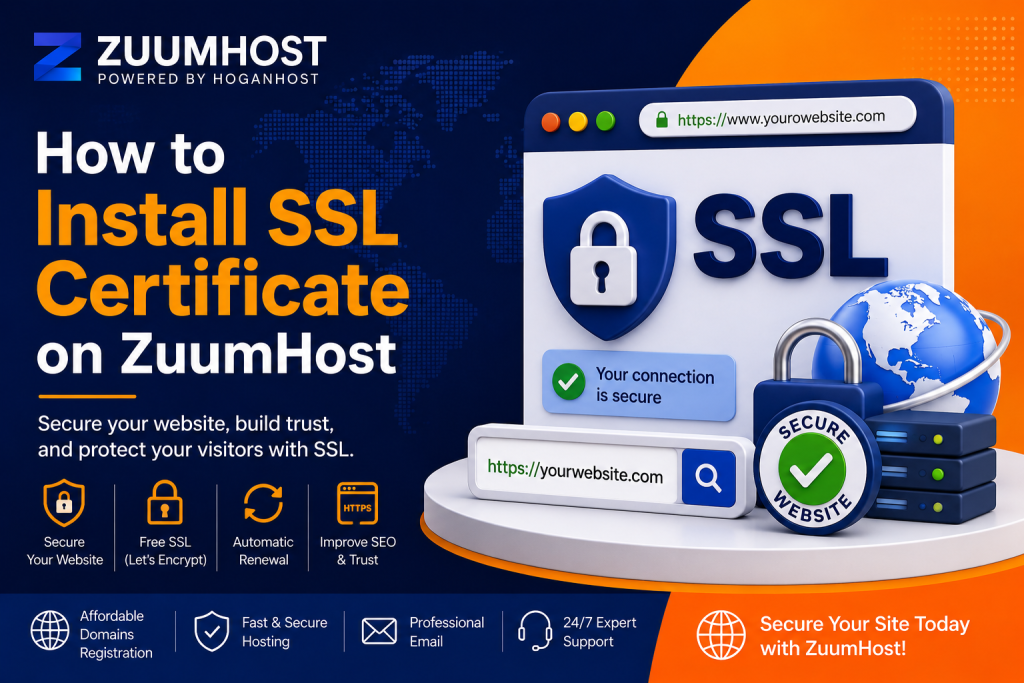
Securing your website with an SSL certificate encrypts data between your website and visitors, displays the padlock icon in browsers, and enables HTTPS. If your ZuumHost hosting account includes the Let’s Encrypt SSL feature, you can install a free SSL certificate in just a few steps.
Step 1: Log in to cPanel
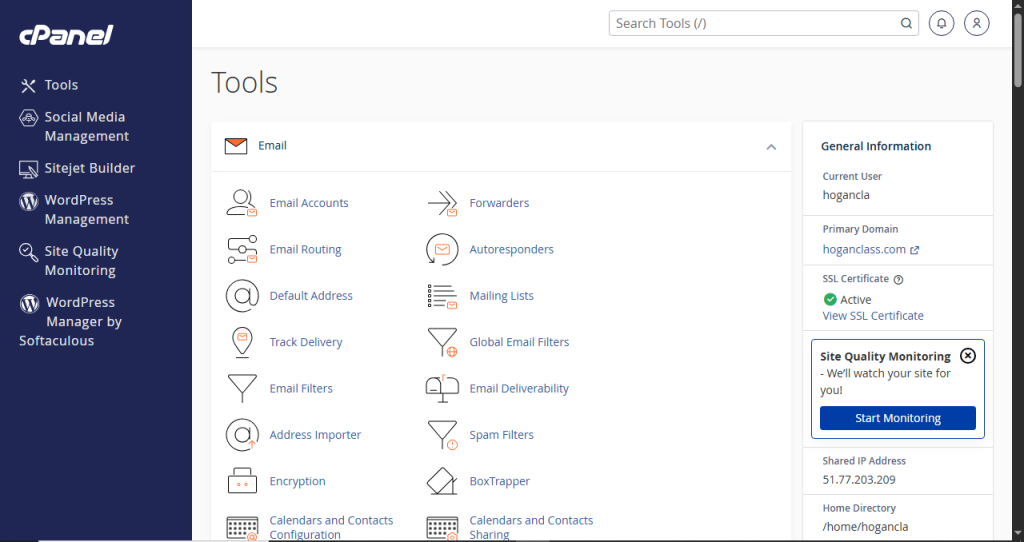
Access your ZuumHost cPanel account using your login credentials.
Once logged in, scroll down to the Security section.
Step 2: Open Let’s Encrypt SSL
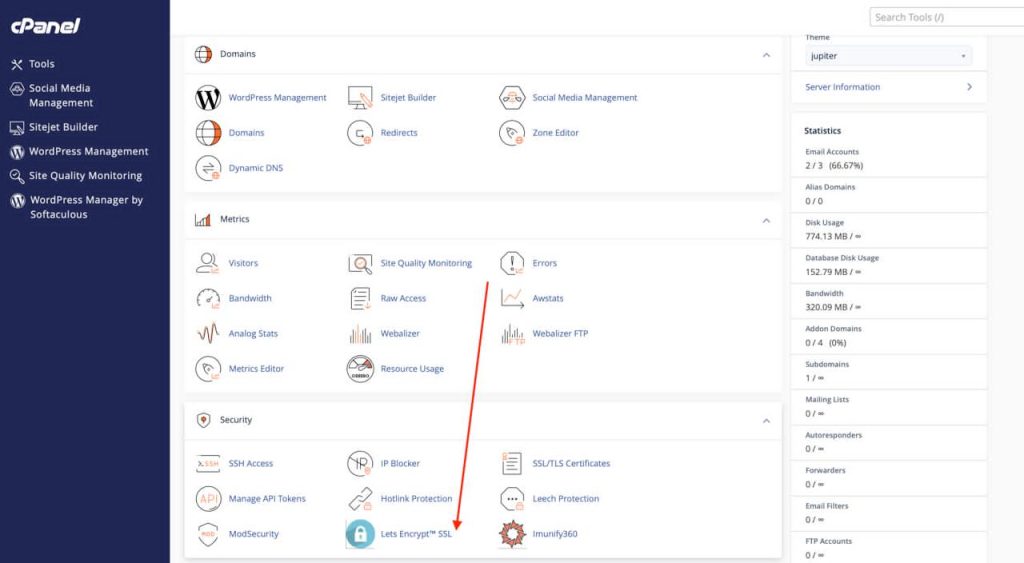
Under Security, click Let’s Encrypt SSL.
This will open the SSL management page where you can issue certificates for your domains.
Step 3: Issue a New Certificate
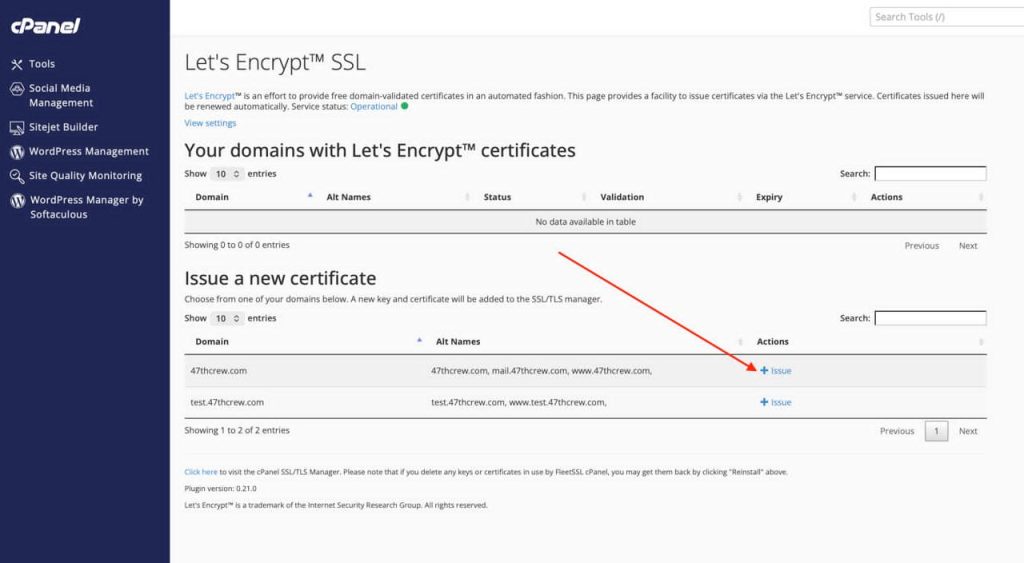
Under Issue a New Certificate, locate the domain you want to secure.
Click the + Issue button beside the domain.
Step 4: Configure the Certificate
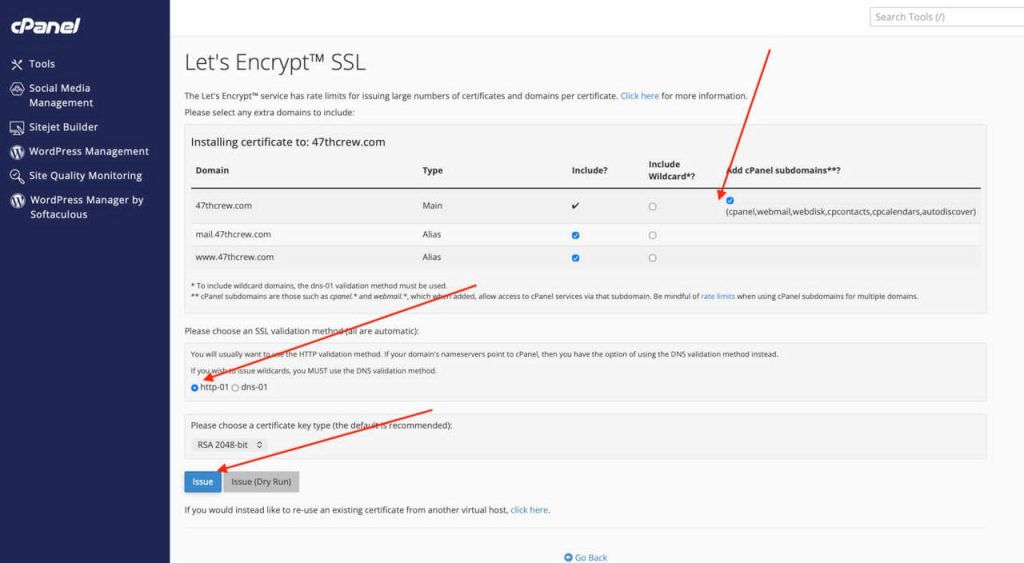
On the certificate setup page:
Ensure your primary domain is selected.
Leave the additional domain aliases (such as www and mail) checked if you want them included.
Keep Add cPanel Subdomains enabled unless you have a specific reason to disable it.
Leave the validation method on the default option unless instructed otherwise by your hosting provider.
Keep the recommended key type selected.
Step 5: Install the SSL Certificate
Click the Issue button.
Wait for the installation process to complete. This may take a few moments while the domain ownership is validated and the certificate is generated.
Step 6: Verify Installation1
After the process finishes:
Visit your website using https://yourdomain.com.
If the installation was successful, your browser should display a secure padlock icon.
Troubleshooting
If the SSL certificate fails to install:
- Ensure your domain points to the correct ZuumHost server.
- Verify that your DNS records have fully propagated.
- Make sure there are no conflicting DNS or firewall settings preventing validation.
- If the issue persists, contact ZuumHost support for assistance.
Benefits of Using SSL
- Encrypts communication between your website and visitors.
- Displays the HTTPS padlock in browsers.
- Improves visitor trust and security.
- Helps with search engine rankings.
- Protects login forms and sensitive information.
Once installed, Let’s Encrypt certificates are designed to renew automatically when properly configured on supported cPanel systems, helping keep your website secured without manual renewal
Final Thoughts
Installing an SSL certificate on your ZuumHost account is one of the most important steps you can take to secure your website and build trust with your visitors. With Let’s Encrypt integration in cPanel, the process is straightforward, free, and can be completed in just a few clicks.
After installation, always verify that your site loads over HTTPS and consider setting up automatic HTTP-to-HTTPS redirection to ensure all visitors use the secure version of your website. Regularly monitor your SSL status and DNS settings to avoid unexpected certificate issues.
By enabling SSL, you’re not only protecting sensitive data but also improving your website’s credibility, SEO performance, and overall user experience, making it a worthwhile investment for any personal, business, or organizational website hosted on ZuumHost.